
Location Insights
-
Profile one site: who lives or visits there, what businesses surround it, and how visits trend.
-
Find a place: search by name, address, zip or lat, long. Recently viewed lists your last five places (personal to you). Or use Draw polygon / Draw circle on the map (polygon minimum 1 km², at least three points).
-
On the map: a red catchment ring, nearby place icons, zoom controls, a map style picker (default Dark), and shortcuts to Compare, Cannibalization, Add to deals and Save to saved site.
-
View Insights asks for an insight name and a project, then opens four panels.
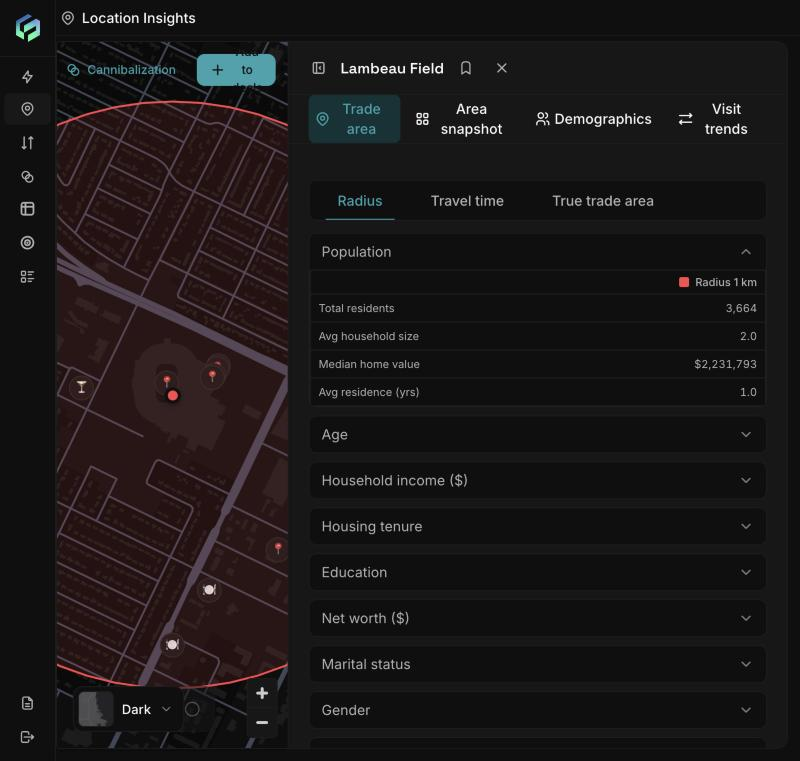
Trade area: the red ring shows the 1 km catchment. The Radius, Travel time and True trade area tabs sit above the population figures.
Add several catchments to one site and compare them as columns. A failed column does not affect the others.
-
Radius: residents of a circle.
-
Travel time: choose a mode and 5, 10 or 15 minutes, then Compute. Example: Drive 5 min gave 10,834 residents; Drive 10 min gave 53,333.
-
True trade area: choose a time range and coverage, then Compute visitors. Adds Total visits and Unique visitors, plus a map outline and a visitor-origins layer.
-
Sections: visits (true trade area only), population, age, household income, housing tenure, education, net worth, marital status, gender, credit score.
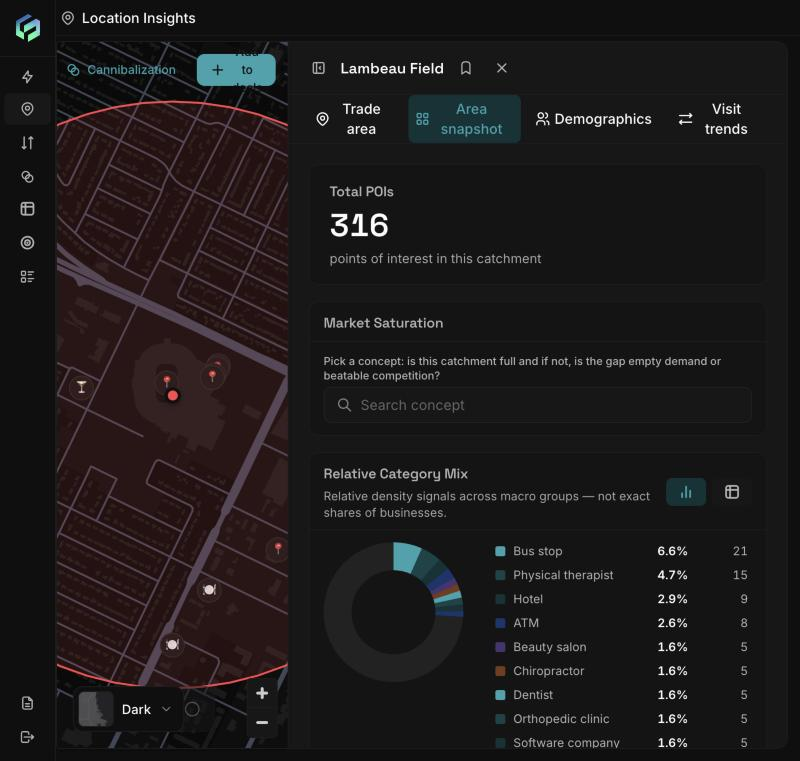
Area snapshot: total places of interest, a Market Saturation search, and the category mix as a donut chart.
| Section | What it shows |
|---|---|
| Total places of interest | Count in the catchment |
| Market saturation | Search a concept (for example "Coffee shop"): its count, price-tier gap ($ to $$$$), share of vulnerable businesses, average rating, share highly rated (4.5+) |
| Relative category mix | Top 10 categories plus Other (a density signal, not exact counts) |
| Branded vs independent | Shares and top 10 brands |
| Performance | Average and weighted rating, total reviews, highly rated share, 1 to 5 star spread |
| Operating hours | Share open before 7am, after 10pm, 24 hours |
| Amenities and attributes | Amenities, Atmosphere, Crowd, Pets, Payments |
| Nearby | Table of places: name, category, brand, rating, distance. Filter by category or brand, sort by Most reviewed, switch between 1 km and 5 km |
Reading market saturation: a thin presence of your concept plus a high vulnerable share suggests beatable competition. Many highly rated places of your concept suggests a well-served market. A low attribute share can mean "not declared".
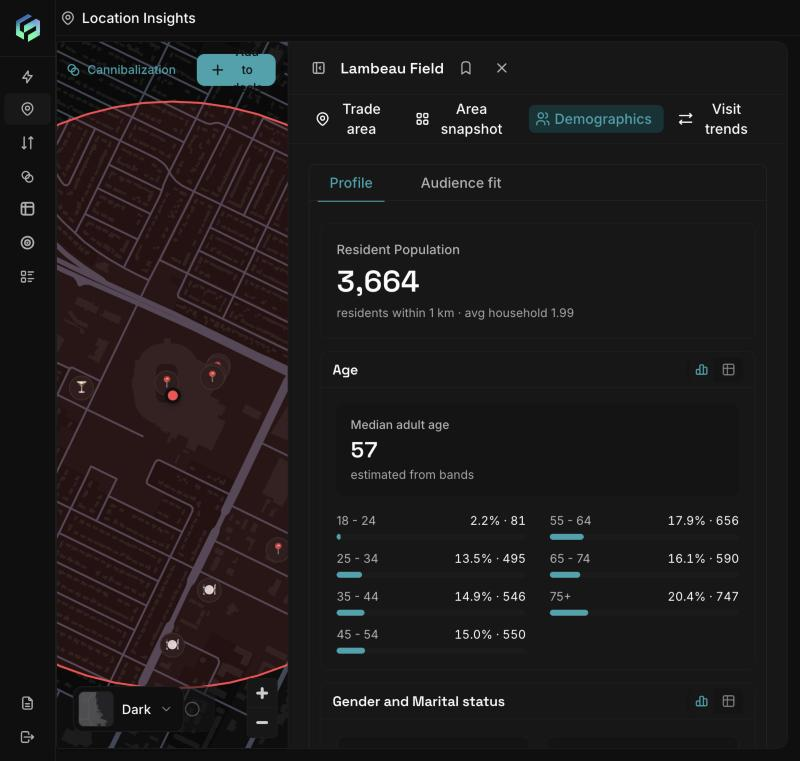
Demographics > Profile: resident population, median age and the age bands with counts.
-
Profile: resident population and household size, age and median age, gender, marital status, adults and children, net worth, household income, credit score, home value, length of residence, tenure. Chart or table view.
-
Audience fit: the share of residents who match a customer definition you build.
Audience fit criteria (nine): Age (min-max), Gender, Household income, Net worth, Education, Marital status, Homeowner/Renter, Has children, Credit rating.
-
Criteria combine with AND. Several bands inside one criterion mean any of them.
-
It opens with preset criteria (age 35-44, income $55k-$59,999, homeowner) that can return 0%. Remove or widen them, then click Apply. Example: age 35-44 alone returned 14.5%, or 486 residents.
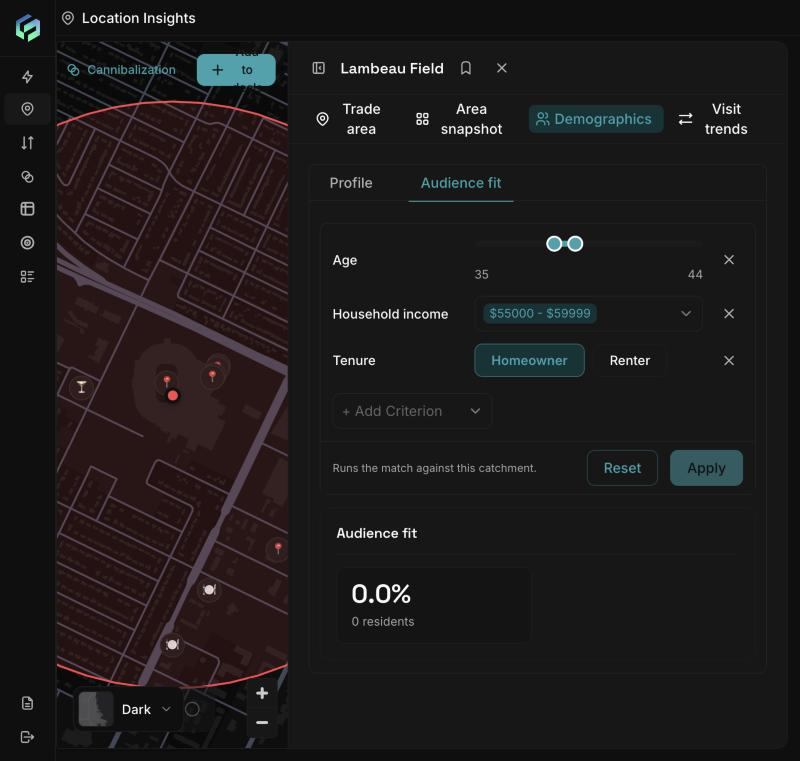
Demographics > Audience fit opens with preset criteria (age 35-44, one income band, homeowner). This combination returns 0%. Remove or widen criteria, then click Apply.
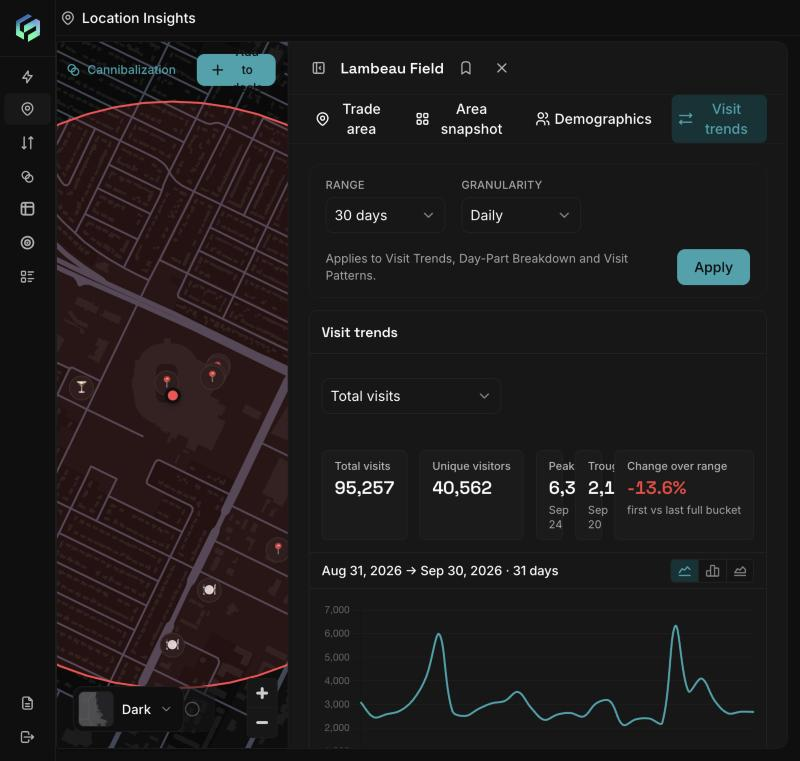
Visit trends: choose a range and granularity, click Apply, and read total visits, unique visitors, peak, trough and the change over the range.
- Range and Granularity (Daily, Weekly, Monthly), then Apply.
- Total visits, unique visitors, peak, trough, change over range.
- Switch the chart between Total visits, Unique visitors and Baseline visits.
- Day-part breakdown: Morning Pulse (06:00-10:00), Active Hours (10:00-22:00), Nighttime (22:00-02:00). Hours 02:00-06:00 are not included, so shares may not total 100%.
- Weekday pattern: a heat map by weekday and week (up to 12 months). A dot marks a possible data gap.
Example (Lambeau Field, 1 km, Sep 2026): 95,257 visits, 40,562 unique visitors, 76.6% of visits in active hours.
Updated about 2 hours ago