
Deals
A pipeline for sites you are pursuing.
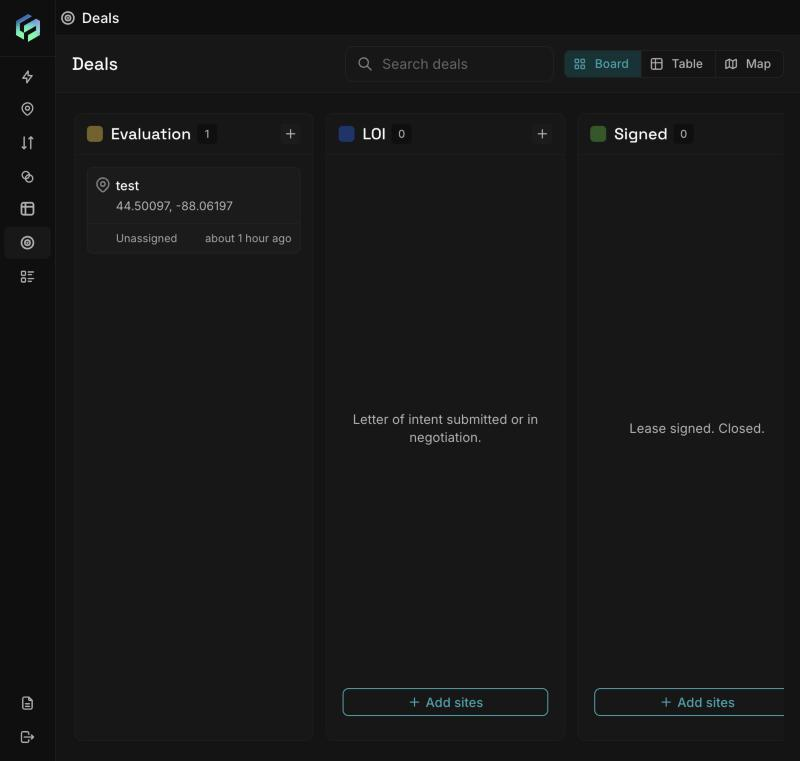
The Deals board has a column for each status. The Table and Map views are in the top right.
-
Create a deal from an open Location Insights analysis: Add to deals, then choose a status. (The "Add sites" buttons on the board take you to Location Insights.) The deal takes its name and location from the analysis.
-
Statuses: Evaluation (under analysis), LOI (letter of intent in negotiation), Signed (lease signed, closed), Disqualified (ruled out, kept so it is not re-evaluated). Any status can move to any other.
-
Views: Board (kanban), Table (Deal, Address, Type, Stage, Lead, Added, Updated, with a stage filter), Map (stage legend). Search matches the start of a deal name.
-
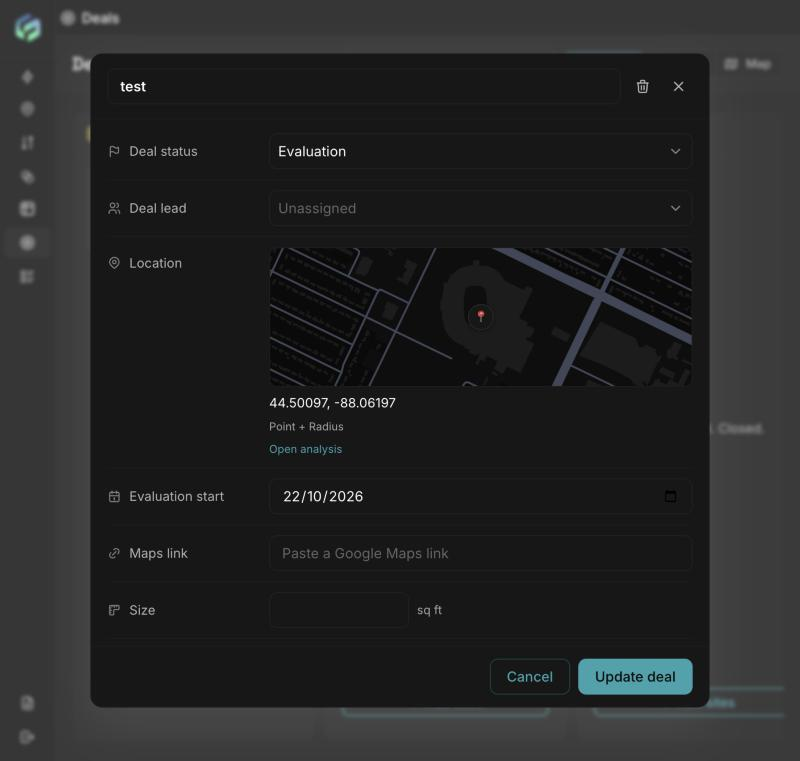
Deal fields: status, deal lead (a workspace member or Unassigned), location with Open analysis, evaluation start, maps link, size (sq ft), notes (up to 10,000 characters), documents, and custom fields.
-
Documents: up to 3 per deal, PDF/DOC/DOCX, up to 15 MB each.
-
Custom fields: up to 50 per deal; types Text, Number, Date, Email, Phone, Person. They belong to that deal only.
-
Custom fields: up to 50 per deal; types Text, Number, Date, Email, Phone, Person. They belong to that deal only.
Updated about 2 hours ago