
Cannibalization
Estimate how much of a proposed store's demand would come from your existing stores, from competitors, and how much is net new.
Set up
- Open Cannibalization, or click it from a site in Location Insights.
- Pick proposed site and enter its floor area in sq ft (a "Needs Size" tag shows until you do).
- Your network: add 1 to 3 of your stores, each with a floor area.
- Competitors (optional): add up to 3 rival stores.
- Choose the method (default radius 2 km, Drive time, or True trade area) and time range.
- Run analysis (about 30 seconds in testing). Save Analysis to keep it.
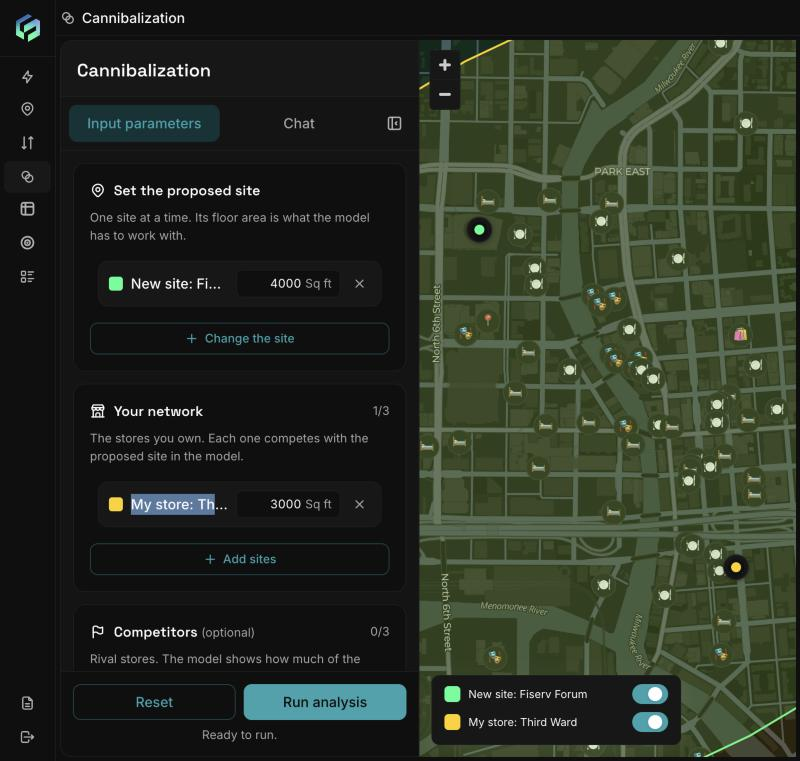
Cannibalization setup: the proposed site and your store each need a floor area (sq ft). The button reads "Ready to run." once every site has a size.
Reading the result
- Risk level: Low under 10% of your network's visits shift, Medium 10-25%, High over 25%.
- Predicted visits at the new site, split into Internal shift (taken from your stores), From competitors, and Net new. A healthy opening has large net new and small internal shift.
- Impact by store: each store's size, visits before and after, and demand moved (negative for yours, positive for rivals), with a subtotal.
- Map: toggle Hexes or Polygons, and Before or After.
-
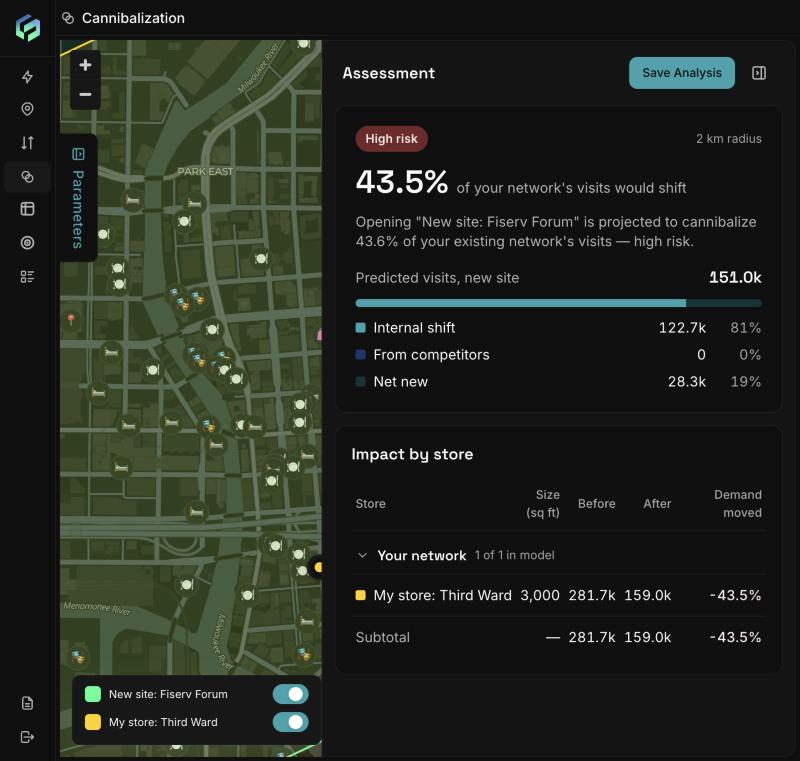
The Assessment card: risk badge, share of your network's visits that would shift, the predicted visits split into internal shift, from competitors and net new, and an Impact by store table.
How the model works:
A gravity model. A store's pull on a neighbourhood grows with floor area and falls with distance. Only floor area is used (not brand, price, format or marketing). Results show demand overlap, not a sales forecast.
Limits: one proposed site, up to 3 of your stores and 3 competitors. Every site must have observed visits, otherwise you see "Cannot compute cannibalization risk." For a brand-new site, pin a nearby existing place that stands in for it.
Updated about 2 hours ago