
CSV
Enrich contact records by uploading a CSV file containing at least one unique identifier.
CSV Enrichment allows you to:
- Upload contact records via .csv
- Map identifier fields
- Match records against Factori’s database
- Enrich matched contacts
- Download verified results
Steps to integrate CSV with Factori
-
Access Lists
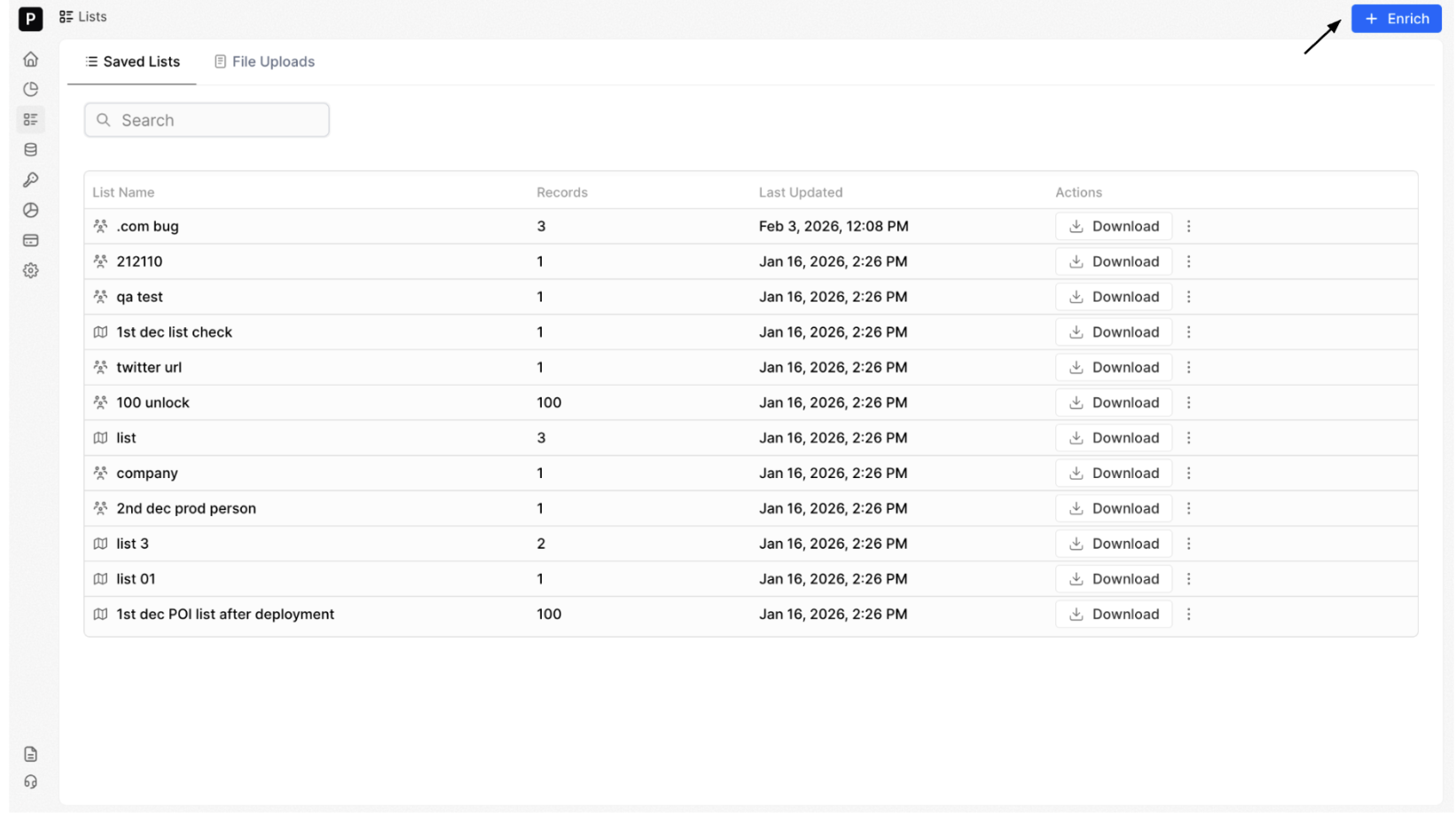
Navigate to Lists from the left-hand menu.
In the top-right corner, click + Enrich to begin with your CSV enrichment. This will open the source selection screen where you can choose how you’d like to import your data.
-
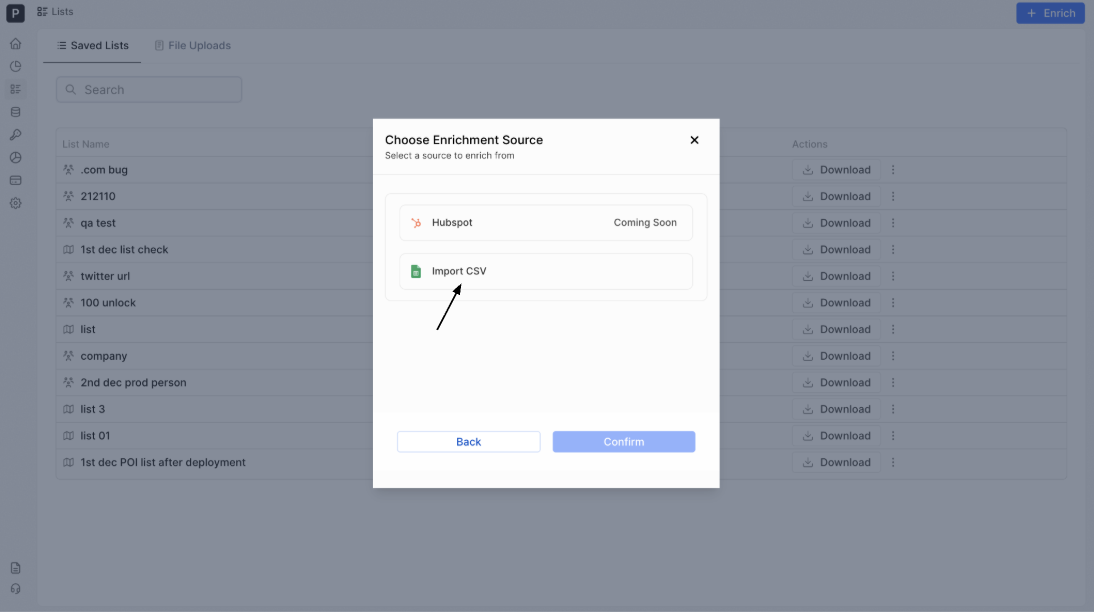
Select CSV as Source
In the Choose Enrichment Source window, select Import CSV.
-
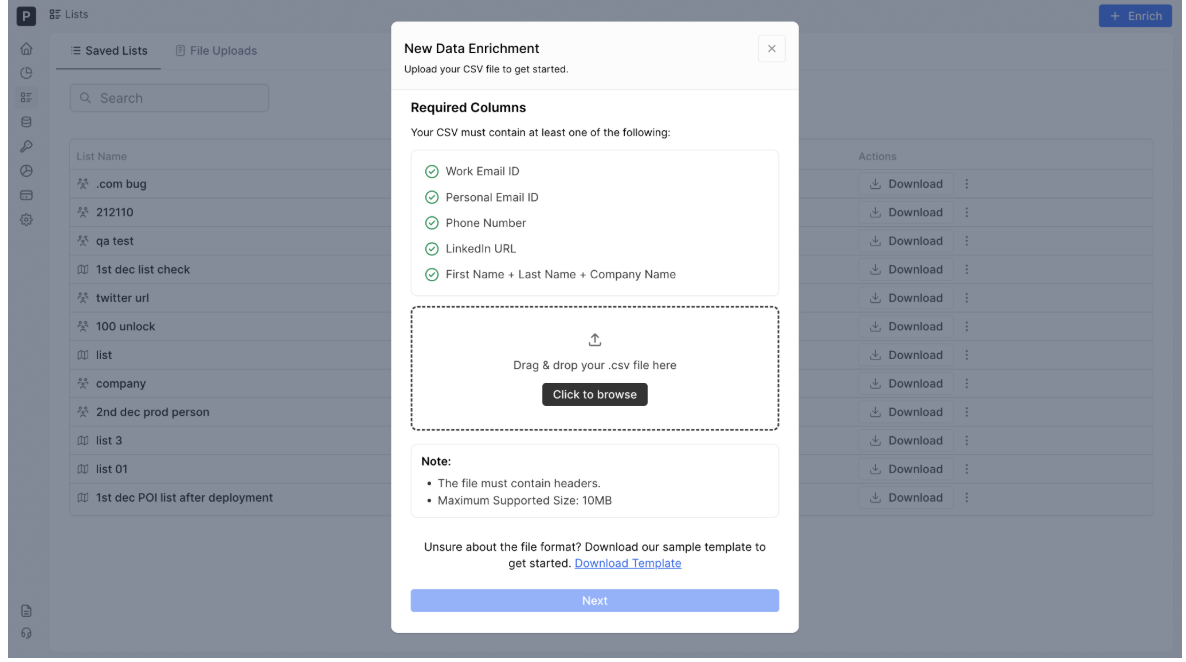
Upload your .csv file. It must include at least one required identifier column:Upload your File - Phone
- LinkedIn URL
Once the file is successfully uploaded, click Next
-
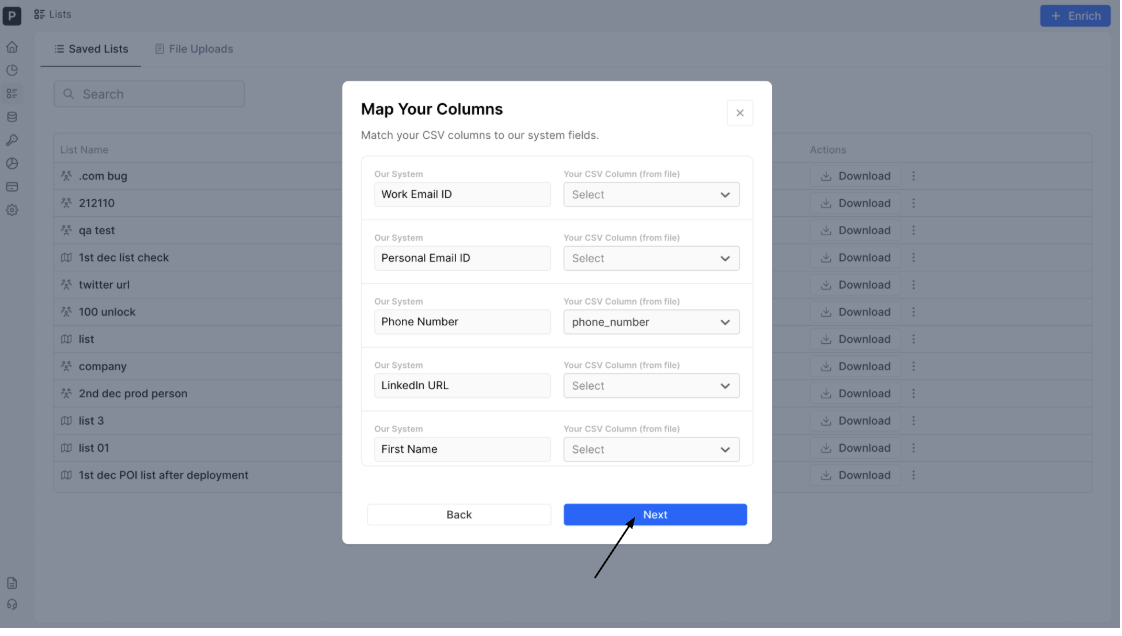
Map Your Columns
Align your CSV column headers with the appropriate system fields. You must map at least one required identifier field (Must Have) to proceed to the next step.
Once the mapping is complete, click on Next.
-
Name Your Lists
Give your list a clear and descriptive name so you can easily identify it later.
Your uploaded file will be stored and visible in the File Uploads tab for tracking and management.
Click Next to proceed.
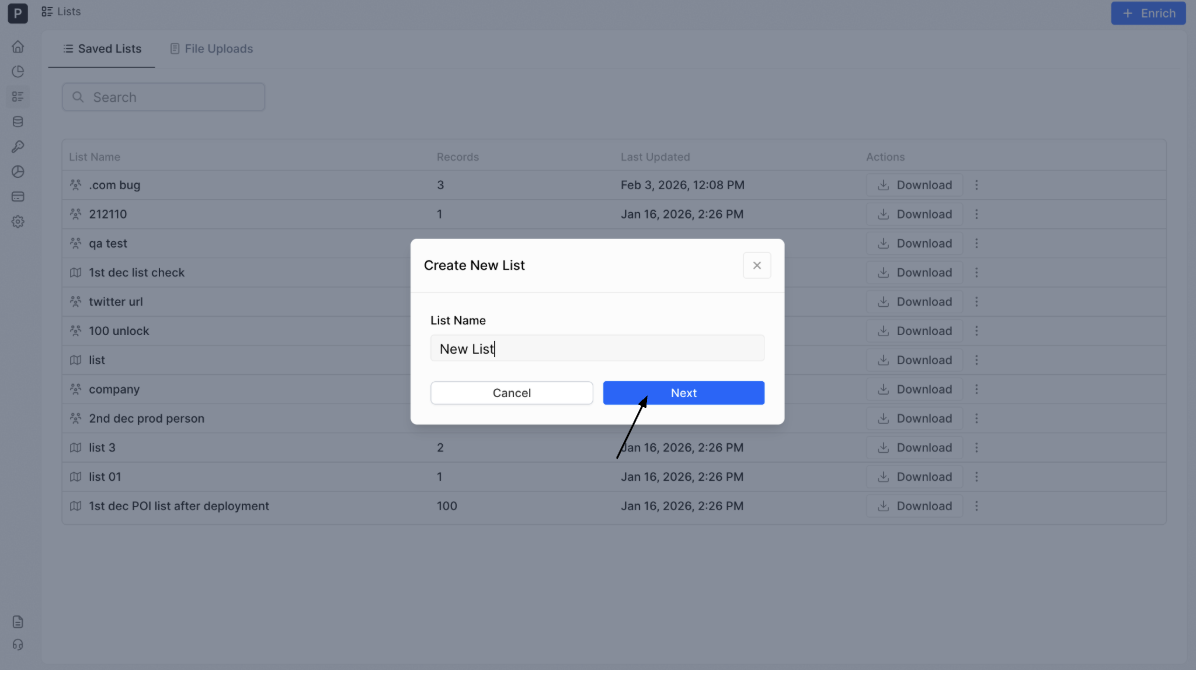
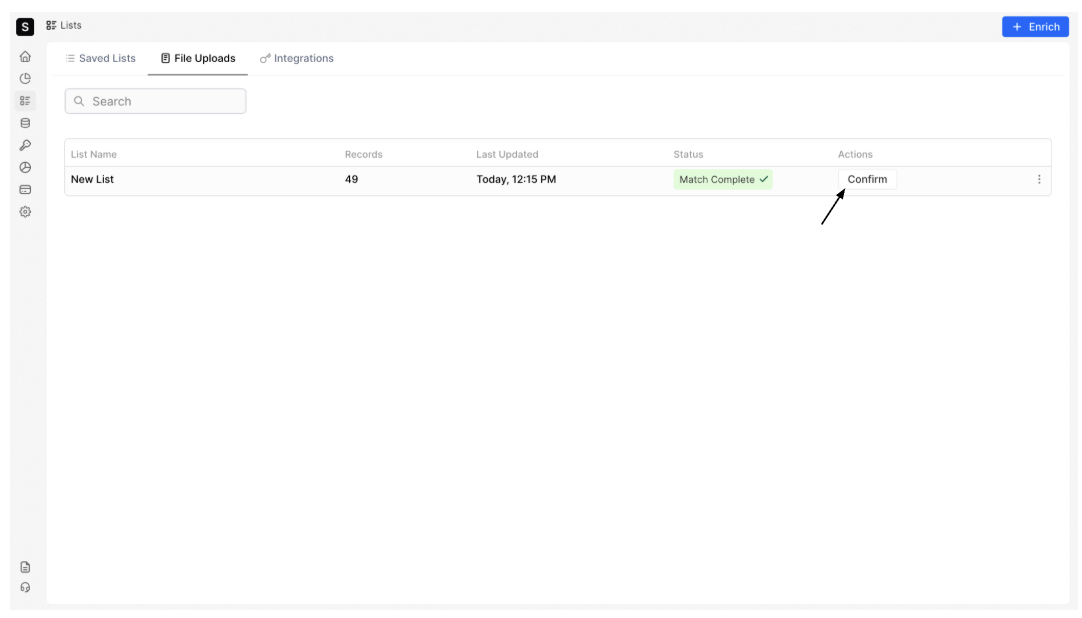
After naming your list, you’ll be redirected to the File Uploads page.
The system will begin matching your records against our database. Monitor the progress until : Match Complete = 100% Matched
Once matching is complete, click Confirm to move forward.
-
Review Matches & Confirm Credits
Before enrichment begins, review:
-
Total match rate
-
Estimated credit usage
Choose an appropriate action:
-
If credits are sufficient → click on Enrich
-
If credits are low → click on Upgrade
-
If no matches are found → review your file formatting and upload again
-
Monitor Enrichment Status
Once enrichment starts, the status updates to:
- Enriching (X%)
- Enriched (when complete)
- Enriched (when complete)
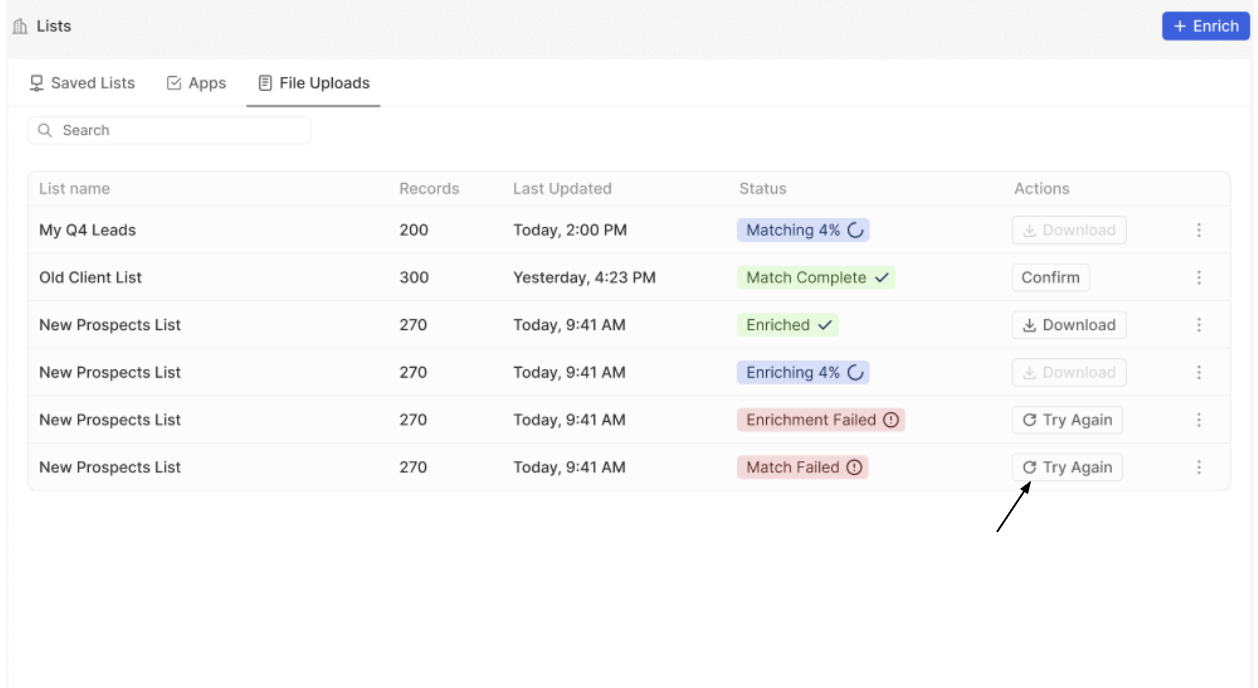
If any of the following status appear:
Click Try Again in the Actions column to restart the process.
What Each Status Means:
-
Matching(X%): We are searching our database to find matches for your uploaded records based on the columns you mapped.
-
Match Complete: The initial scanning process is finished. You can review the percentage of records found in our system before proceeding with enrichment.
-
Enriching: We are adding Factori data fields to the successfully matched records.
-
Enriched:The enrichment process is complete. Your list has been updated with verified data and is ready for download or further analysis.
-
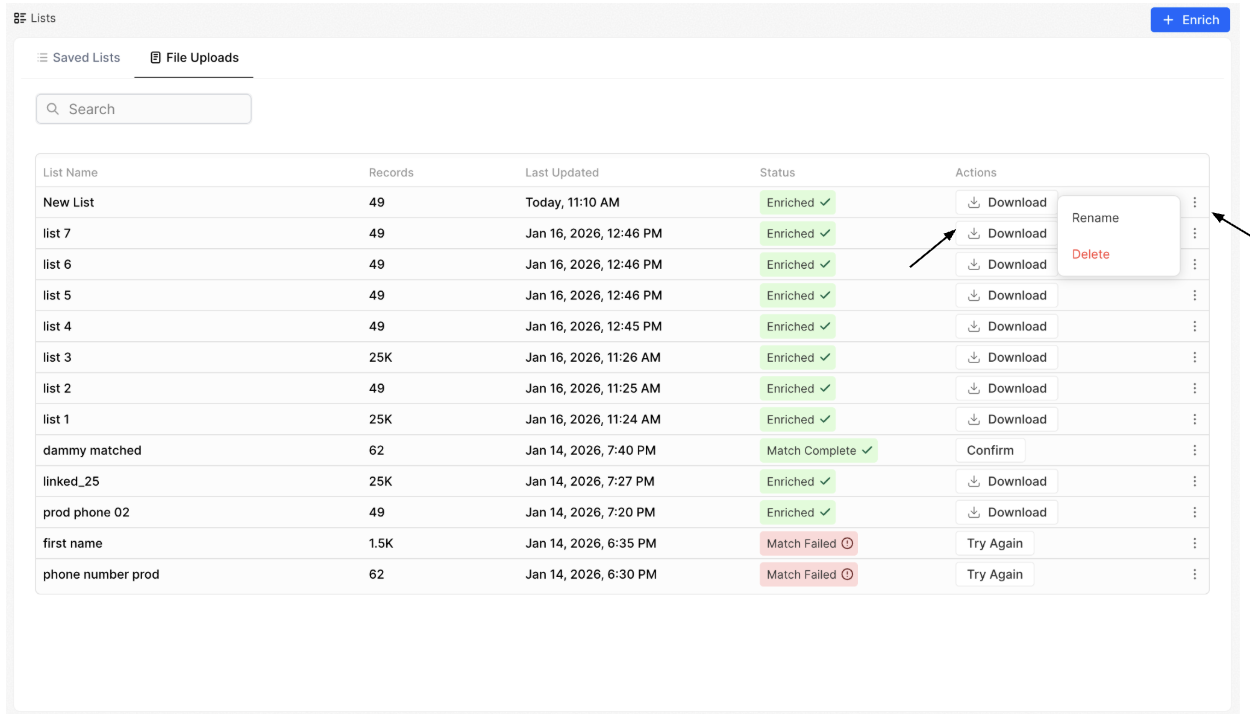
Within the File Uploads table, you can manage each file directly:Manage Your Lists - Click Download to export the enriched file
- Click the ⋮ (three dots) menu to rename or delete the list
-
Viewing & Customizing Results
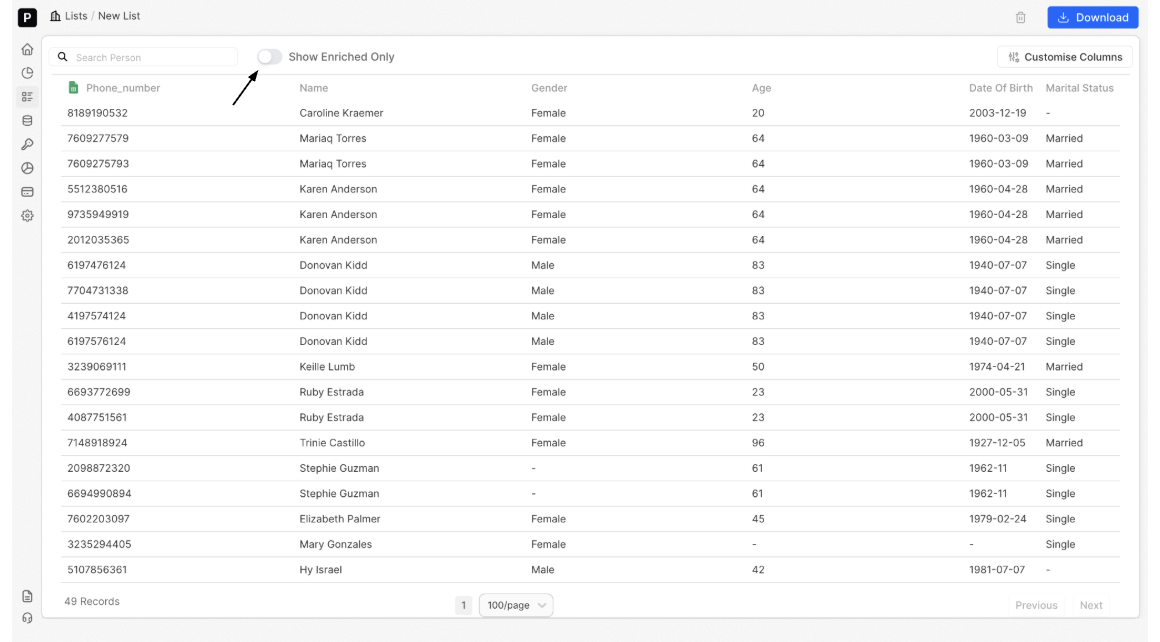
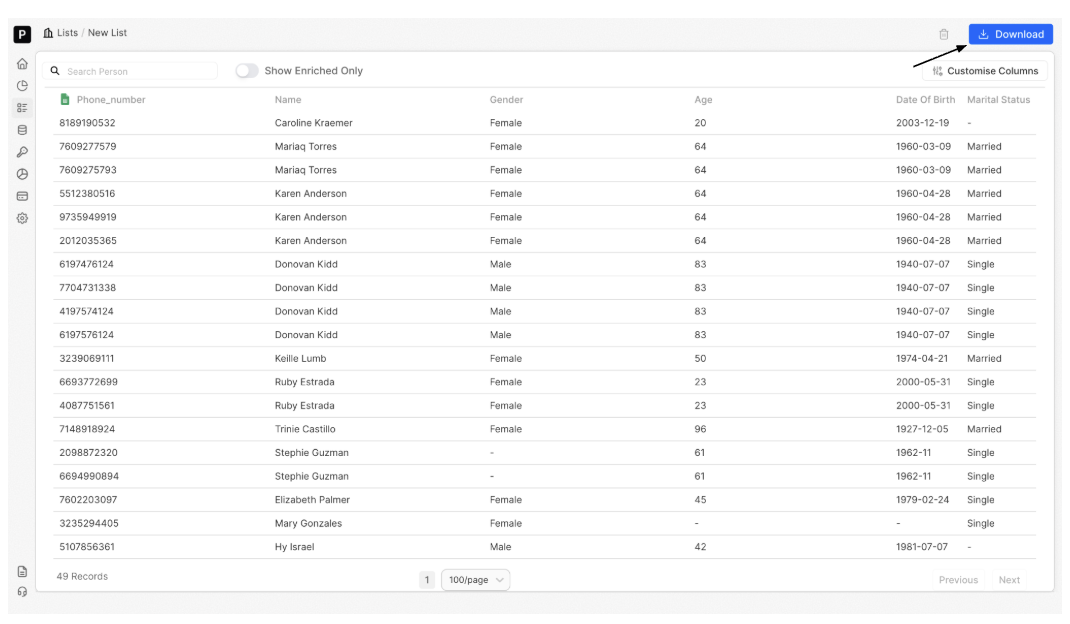
Click on any enriched list name to open its detailed record view. Also, you can access and review records even while enrichment is still in progress.
To monitor a list that is actively processing, simply click on the list showing Enriching (X%) to view ongoing updates in real time.
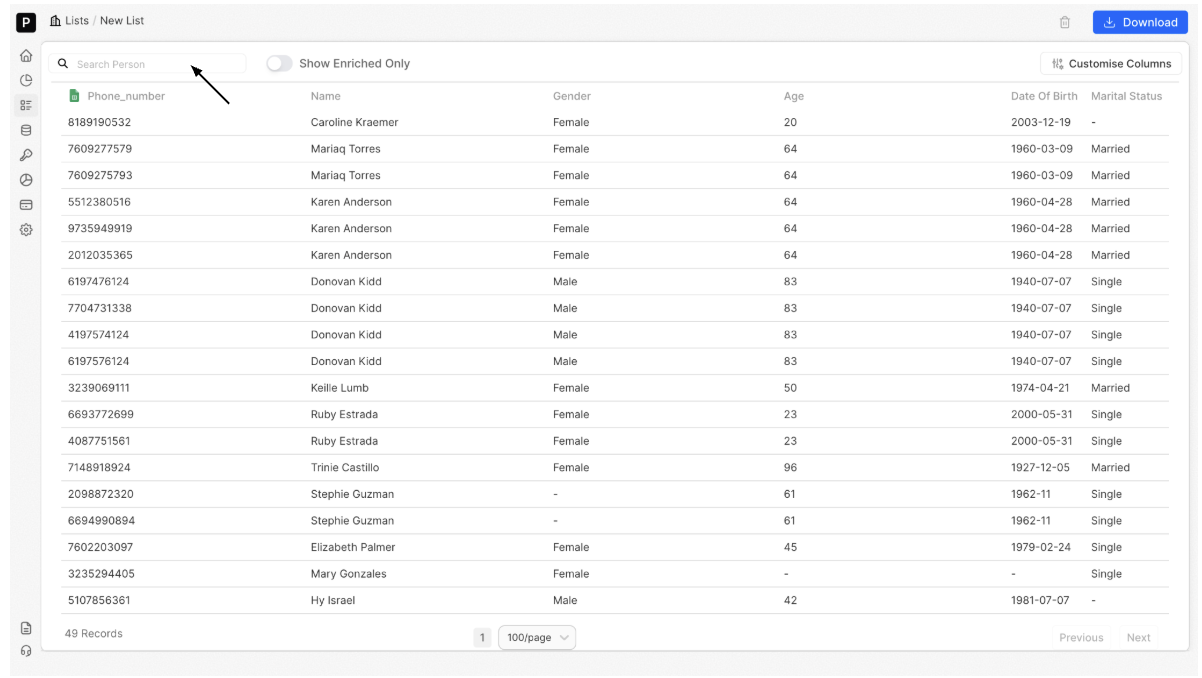
Within the list view, you can:
-
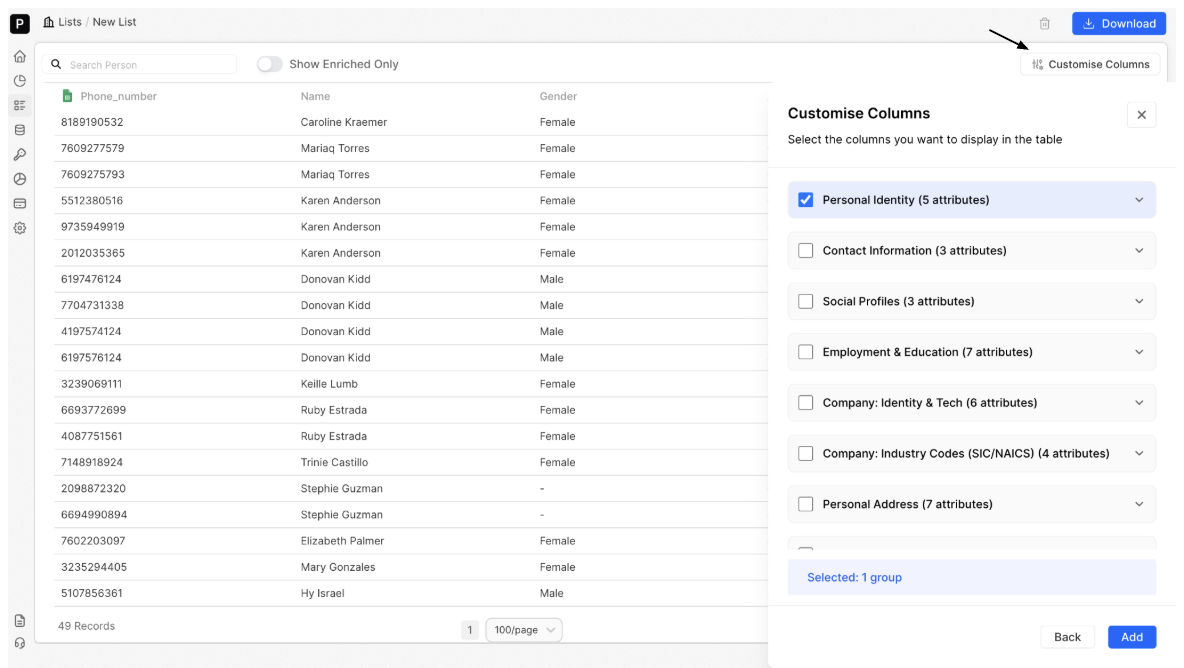
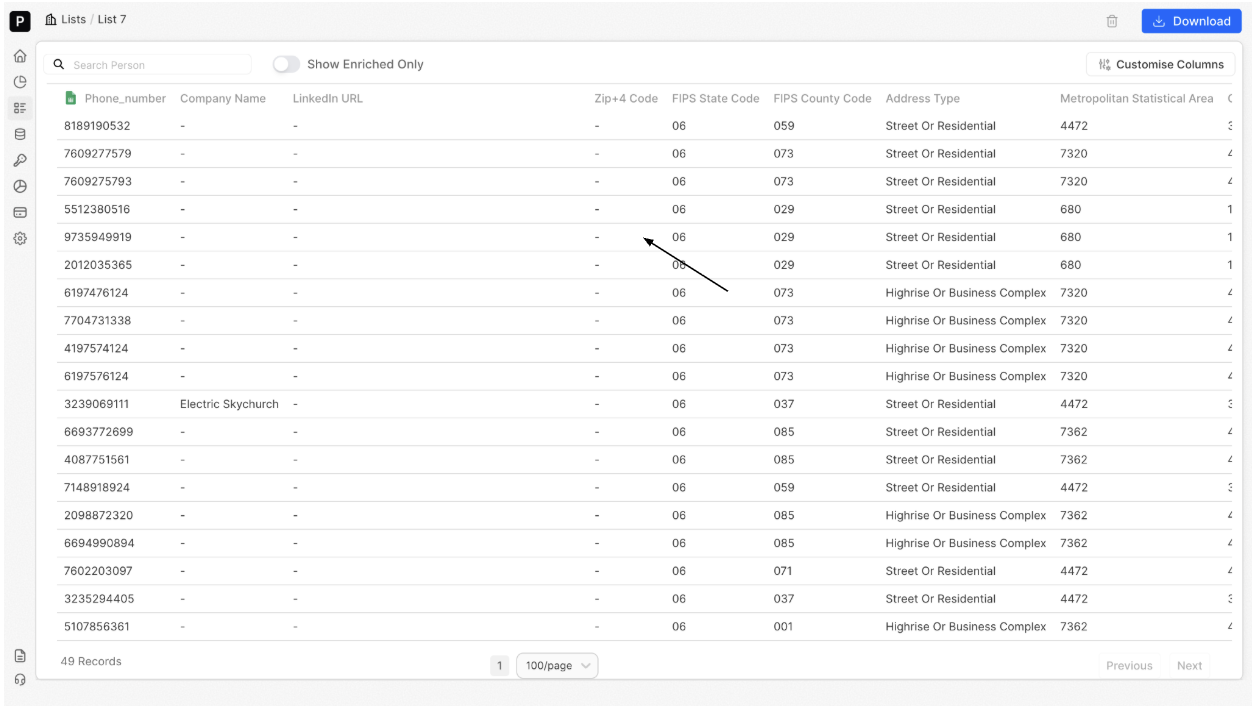
Customise Columns: Click Customise Columns to add or remove visible Factori fields (No credits are deducted)
Updated 8 days ago