
How to Use People Data
People gives you access to a large, continuously updated dataset of 300M+ individual records, designed to help you quickly find, segment, and activate the right audience using simple filters.
Viewing People
To view a record click into an individual record and view detailed information for each lead in one place, including name, job title, company, city, work email address, social profiles and other key attributes.
It helps businesses better understand their audiences, personalize engagement, validate identities and make better informed, data-driven decisions.
View data:
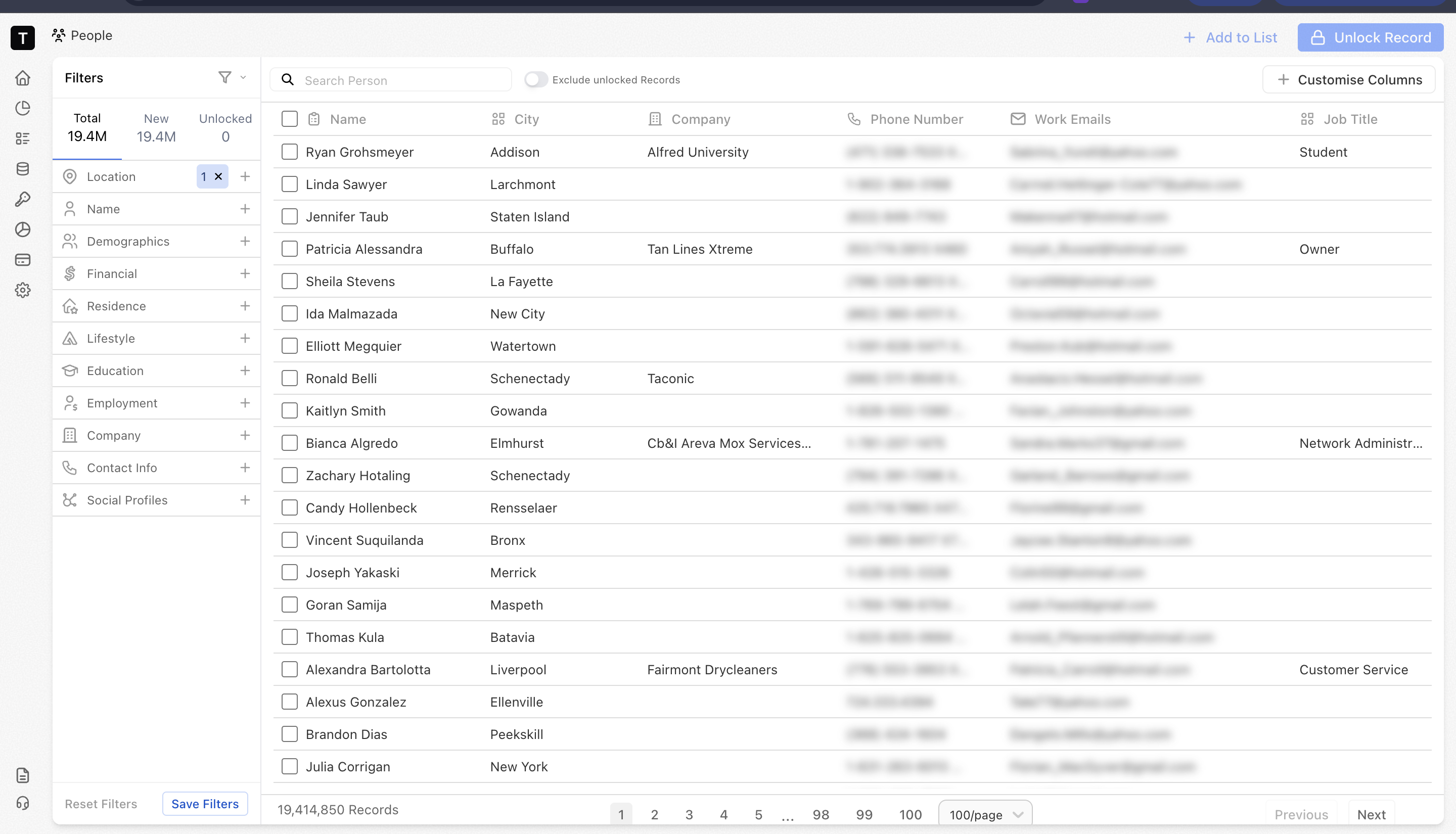
Table view– View, select, filter, and sort people records at a high level using key attributes such as demographics, location, lifestyle, and behavioral signals.
Filters
You can filter people data using a wide range of attributes to narrow down audiences that match your exact requirements.
Filter by attributes such as location, demographics, household details, and professional information.
Combine multiple filters to precisely define your target audience.
💡Example: A sales team can filter for marketing managers in Singapore aged 30-45, working in mid-sized companies, to create a focused outreach list.
Unlocking Records
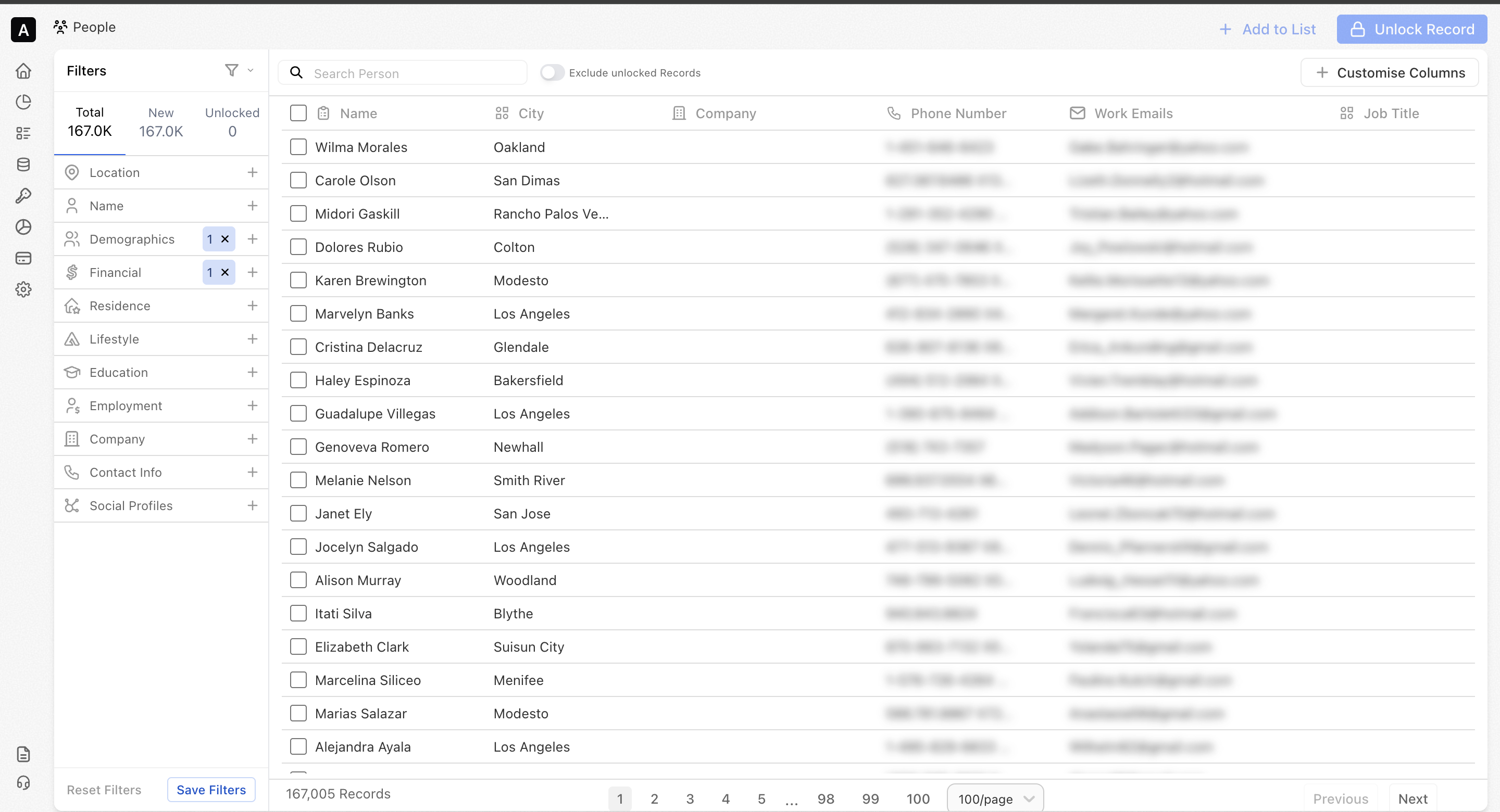
You can unlock people's records when you’re ready to access full details, giving you full control over when and how you use your credits. By combining multiple filters, you can narrow down your audience and unlock only the records that best match your requirements.
- Unlock records individually or in bulk
- Export unlocked lists for activation across your tools and workflows
- Use unlocked people across views, lists, exports, and APIs
💡Example: A sales team can filter for decision-makers in a specific industry, unlock only the most relevant profiles, and export the list for outreach campaigns.
Saving Filters
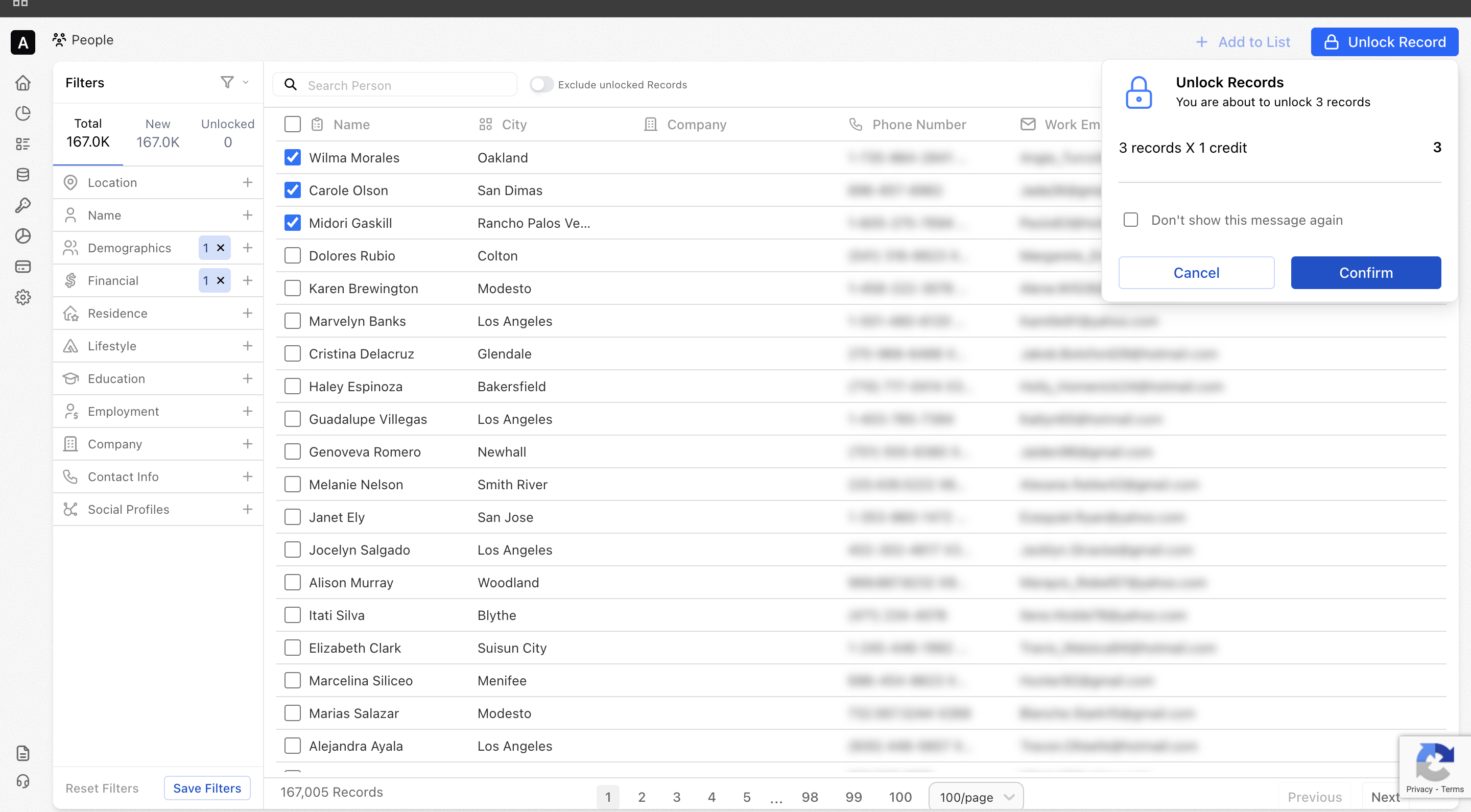
Save your frequently used people filters and reuse them anytime.
Saving filters helps you work faster by eliminating the need to recreate the same audience criteria repeatedly. It allows you to quickly return to commonly used segments, compare different audiences, and maintain consistency across campaigns and workflows.
- Apply your preferred people filters based on demographics, location, company, lifestyle, and more
- Save filters for future use
- Run saved searches instantly without reapplying filters
- Combine saved filters to compare different audience segments side by side
💡Example: A marketing team can save a filter for “E-commerce decision-makers in California” and reuse it across multiple campaigns, or compare it with “E-commerce decision-makers in New York” to optimize regional targeting.
Lists
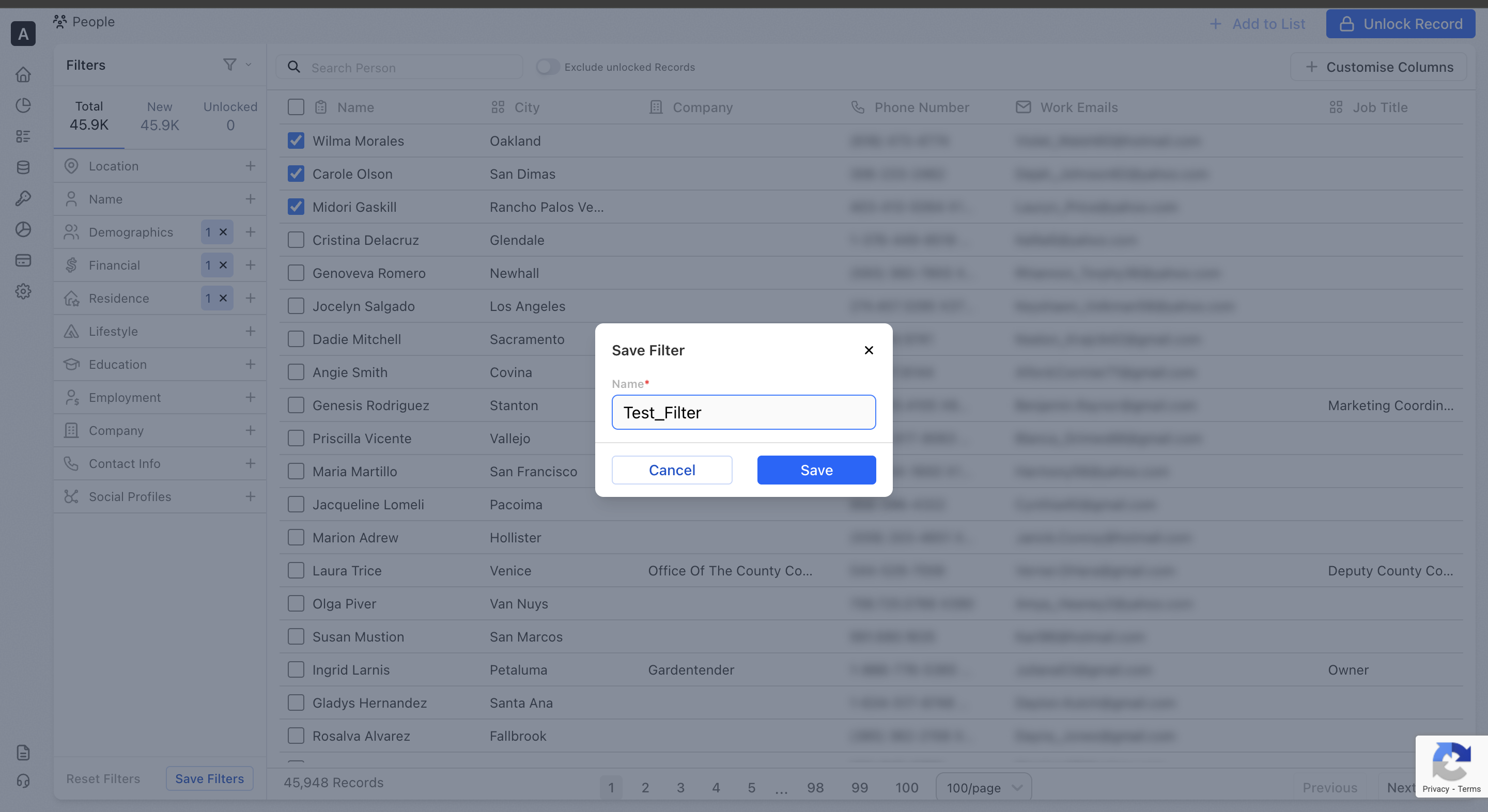
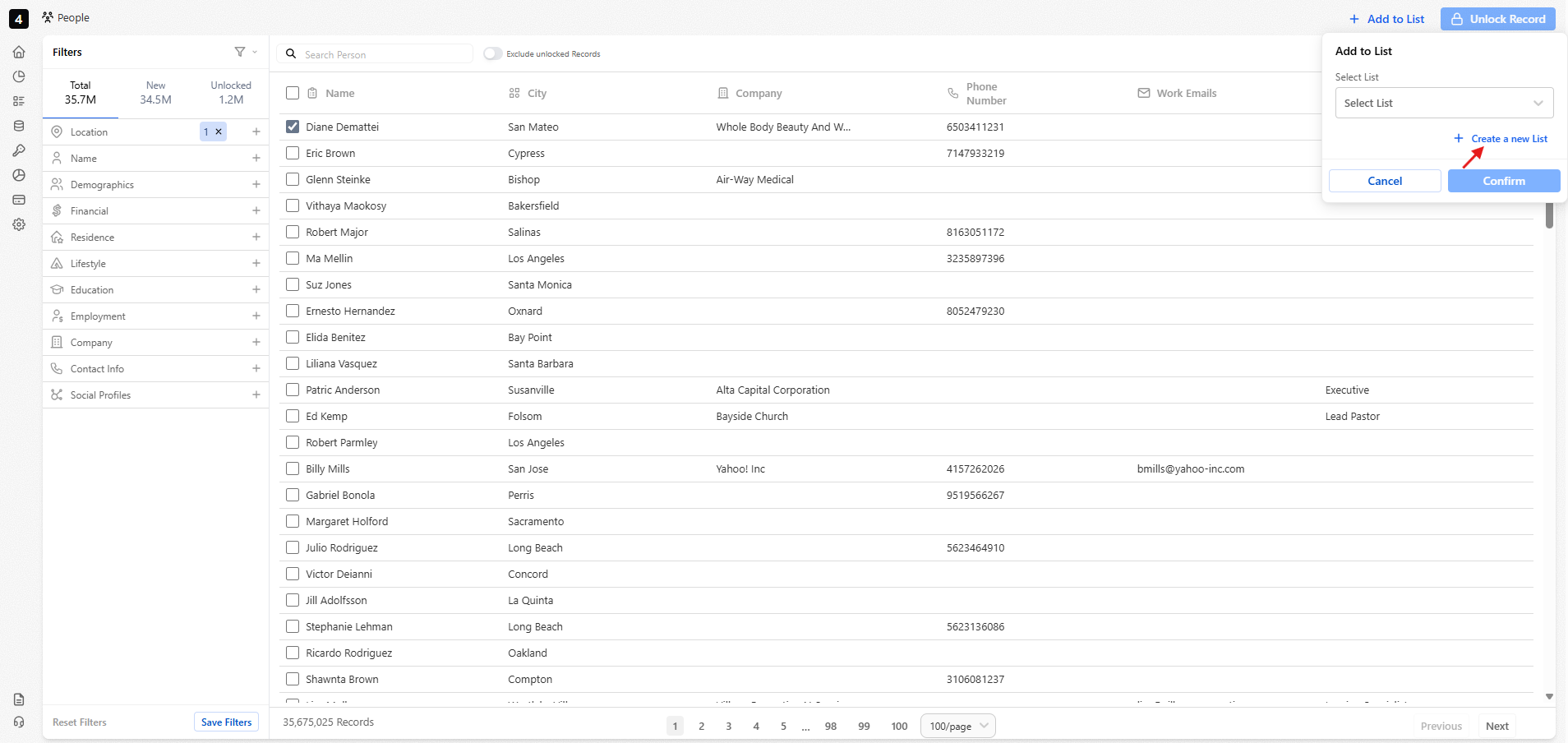
Lists help you organize people into groups for easier analysis.
People data can be segmented by demographics, location, company details, lifestyle attributes, and more, making it easier to analyze trends, run targeted campaigns, and share insights across teams.
- Add people to a new or existing list
- View and analyze each list independently
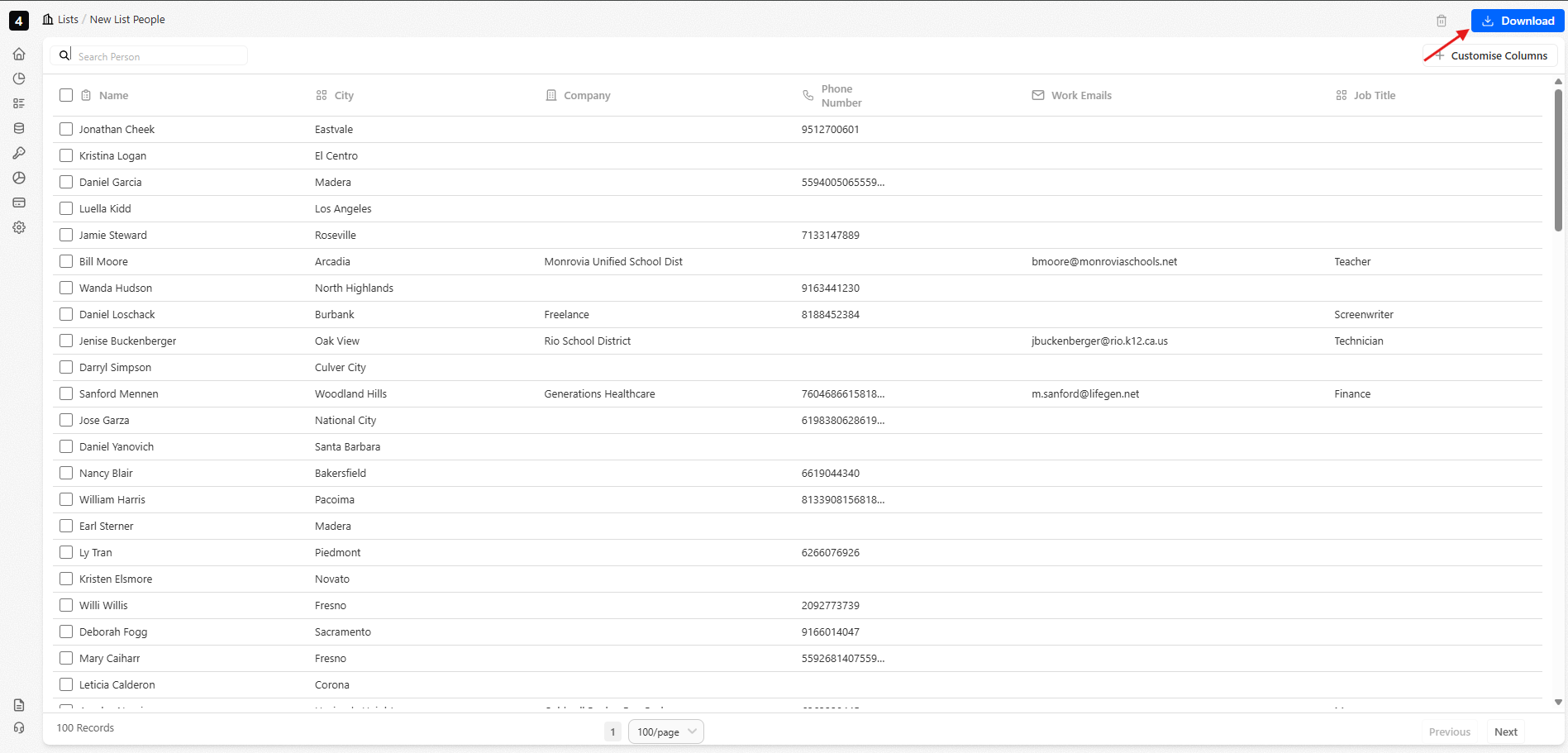
- Export lists to share with your team or activate in campaigns
💡Example: A marketing team might create a list of “Top malls in Dubai” to plan out their billboard placements.
Exporting
Once your audience is ready, you can seamlessly activate it across tools, workflows, and systems.
- Download refreshed lists directly from the platform.
- Access data programmatically using your API key.
- Integrate people data into CRMs, analytics tools, or internal systems.
Updated 22 days ago