
Ask
A chat assistant for site and market questions. Type a question and it answers, running the same analyses found in the other modules.
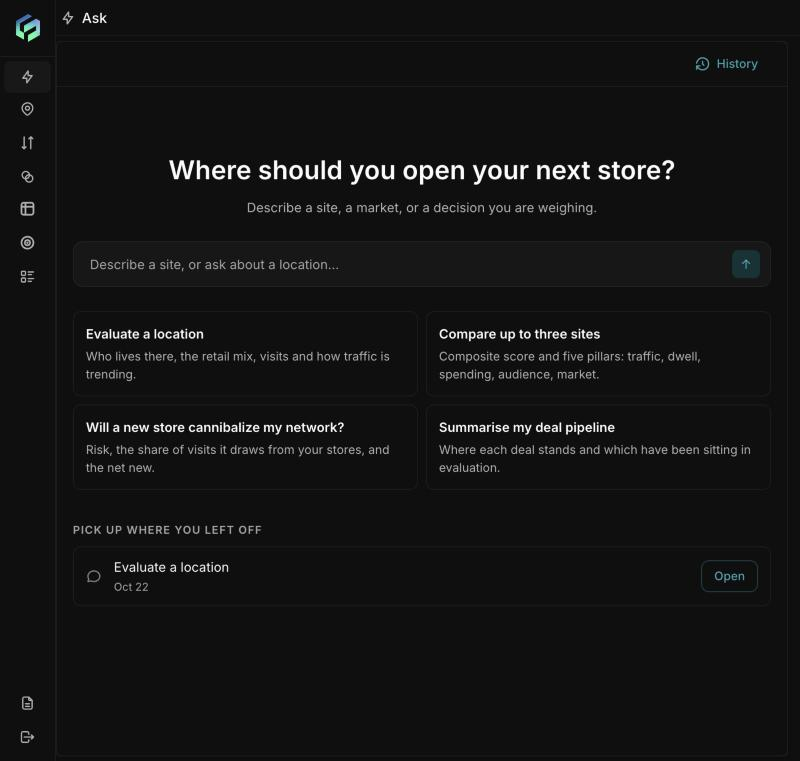
What you see: a "Where should you open your next store?" screen, a text box ("Describe a site, or ask about a location..."), four starter cards, recent chats, History and New chat.
| Starter card | Gives you |
|---|---|
| Evaluate a location | Who lives there, the retail mix, visits and traffic trend |
| Compare up to three sites | Composite score across traffic, dwell, spending, audience, market |
| Will a new store cannibalize my network? | Risk, share of visits drawn from your stores, net new |
| Summarise my deal pipeline | Where each deal stands and which have sat in evaluation |
How it works:
- Type a question or click a card. A "Thinking..." indicator shows while it works.
- The assistant answers what it can immediately, for example nearby competitors in a table.
- For heavier analyses it asks before running: "To answer this I'll run Demographics · [place] · 1 km. Run it?" with Run, Cancel, and Open [place] in Location insights.
- After Run, a results card appears (for example residents, households, home value, age, income, net worth, credit score, education).
- Follow-up buttons let you continue with a click.
Tips:
Give a real address or landmark, say the business type, name the measures you care about, add a distance, and ask for a verdict.
Starter cards send short requests, so the first reply is usually a question back; a full question is faster.
Example - "Evaluate 1265 Lombardi Ave, Green Bay, WI for a coffee shop. Give me nearby competition and who lives within 1 km."
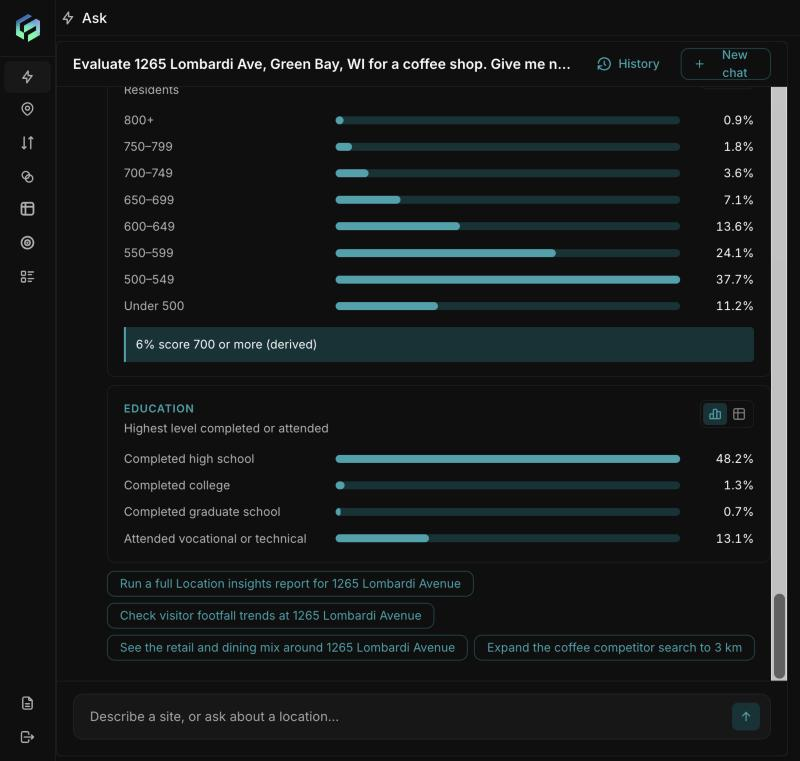
After you click Run, Ask shows a results card (here: credit score and education for the area) and follow-up buttons you can click to go deeper.
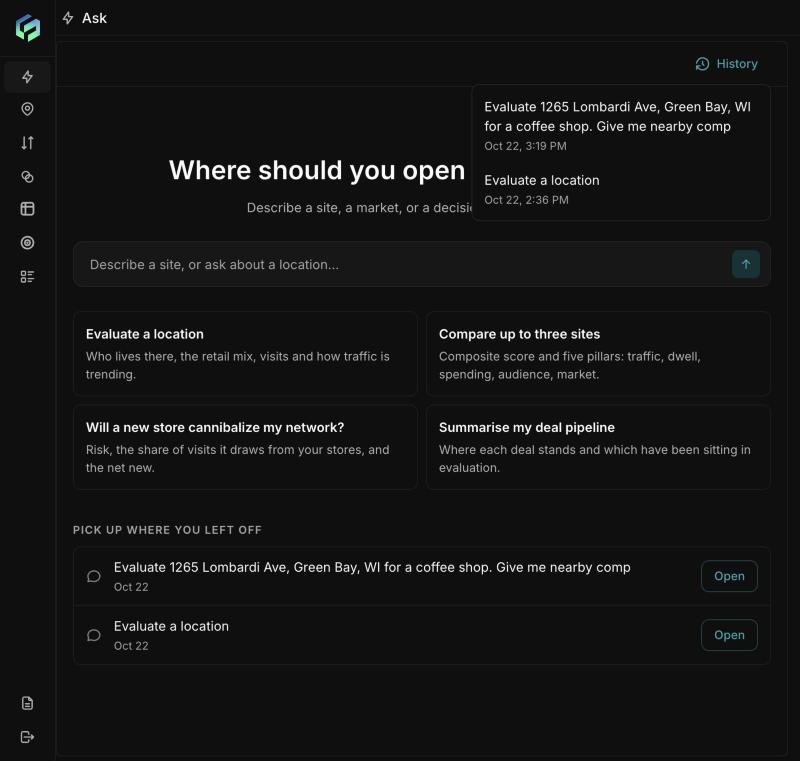
History lists every past chat with its date and time. The same chats also appear under "Pick up where you left off".
Updated about 2 hours ago